How I Turned Pinterest Into My Biggest Source of Referral Traffic + Free Pinterest Image Template
As of the beginning of 2016, my goal was to get more involved into Pinterest, and I believe I finally hacked its secrets! Pinterest is currently my No. 1 source of referral traffic. It beats all the other social media platforms I use when it comes to bringing readers and potential customers to my blog.
You might also like:
- 5 Best Investments You Should Make For Your Blog.
- How To Organically Grow Your Blog In The Next Year.
- How to feel confident about your blog.
We all should find our own ways to make it happen and today I wanted to share what tools and techniques worked for me and how I turned Pinterest into my biggest source of referral traffic:
I FINALLY SET UP MY ACCOUNT CORRECTLY
Before you begin working on your Pinterest, clean up! Make sure you write an excellent description, include your best profile picture and set up rich pins. I also went above and beyond and deleted all pins that were no longer relevant to my brand or simply did not look good. I followed people that I feel inspired by, included keyword-rich descriptions to all of my boards and picked some of the most eye-catching pins as covers.
I CREATED BOARDS RELEVANT TO MY NICHE
Before, I used to pin very randomly. I would simply use 3-5 main boards mostly for pinning everything I come across that one day a month when I’d remember to use Pinterest. I knew this wasn’t right, and I had to change my strategy completely if I wanted to get some use out of this. I sat down and listed main topics that I usually blog about. I then brainstormed some ideas for sub-topics that are relevant to my blog + web design business. I currently have around 24 active boards and use them all on a regular basis. 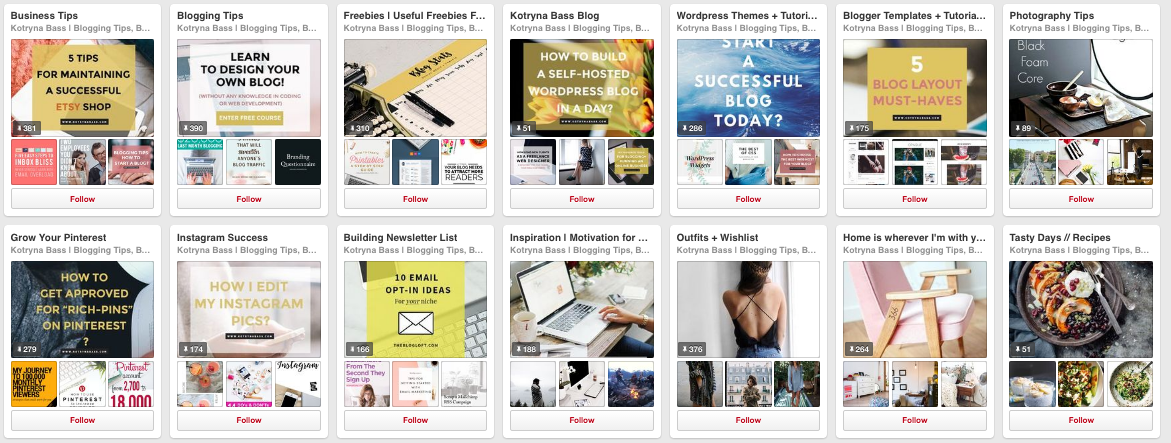
I PINNED CONSISTENTLY
Seriously, if you want to drive all that traffic to your blog, you have to use Pinterest consistently. Now, this doesn’t mean that you have to spend hours and hours uploading your content every single day, you’re smarter than this! These days we have plenty of tools to choose from in order to schedule our social media. My most favourite Pinterest scheduler must be BoardBooster. It allows you to create secret boards for your actual boards and then simply spend an hour a week for pinning your pins into the hidden boards. Boardbooster will then schedule those pins for you during the week. It really takes a weight off your shoulders.

I STARTED PINNING ON GROUP BOARDS
If you’re not pinning on any group boards- go ahead and find some now! It can do wonders to your Pinterest followers growth as well as broaden your audience. I currently pin on four different group boards that are still very relevant to my niche. Of course, I also include pins from other bloggers and make sure to bring only fitting pins to the group’s interest.
I CREATED NOTICEABLE PINTEREST GRAPHICS
You have to create outstanding Pinterest graphics if you want to stand out from the crowd. Make sure you use bright, bold fonts & vertical images. If I include a freebie within the post, I usually display it on the graphics, so my followers know that they can expect something special from visiting my website. It works like a charm!
Let me know what’s your favourite Pinterest scheduling tool!
p.s. I actually created a FREE Pinterest Image Template for you to download & use. Sign up for Adobe Photography Plan to download Photoshop and then simply subscribe to my newsletter below to receive an access code for my FREE Resources library: